fsleyes.editor
The editor package contains functionality for editing Image
overlays.
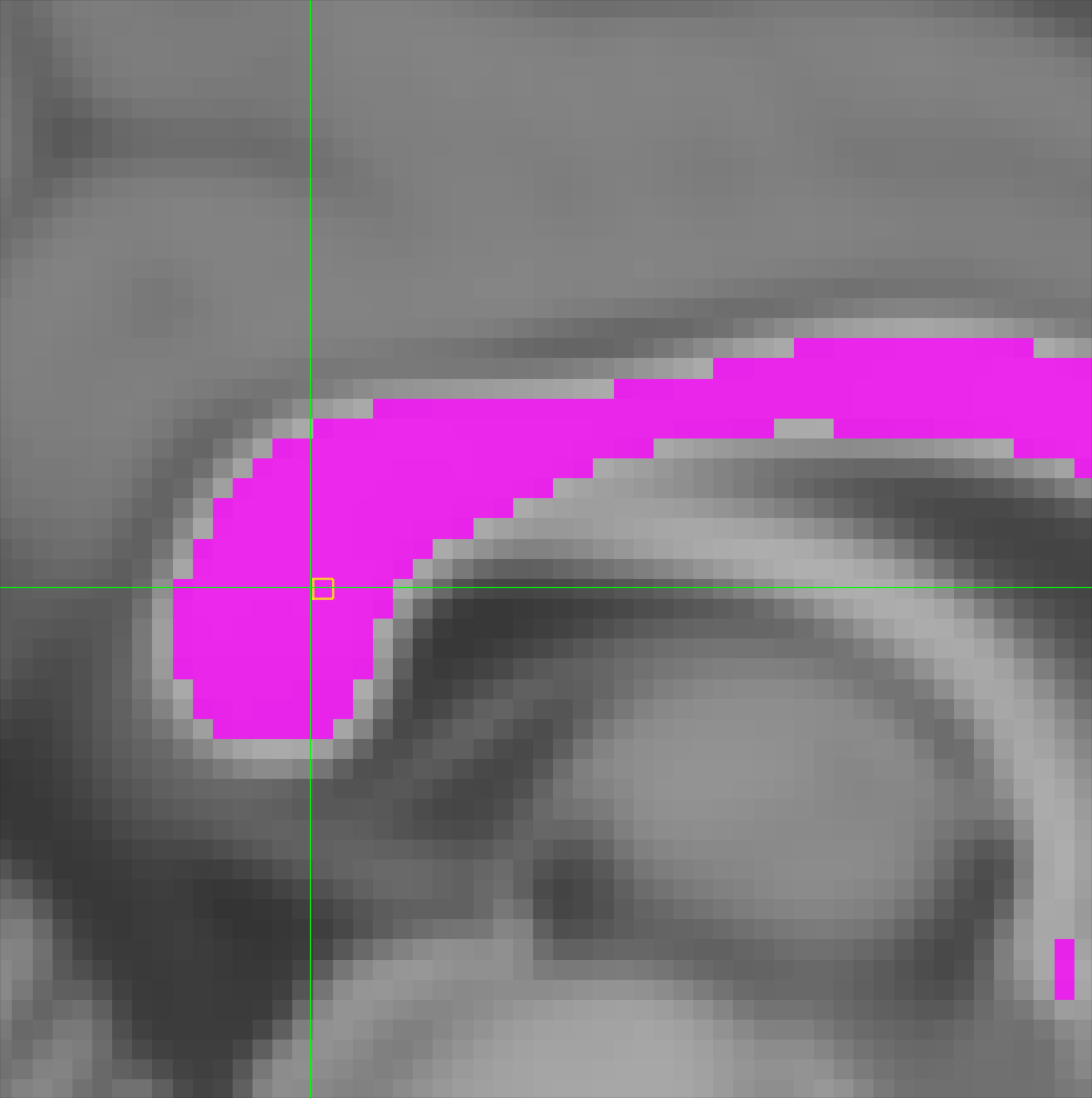
The editor package provides the following two classes:
The |
|
The |
Making an edit to an Image requires two stages:
Select some voxels in the
Image.Modify the values stored in those voxels.
The Selection class implements the functionality for the first
stage, and the Editor class implements functinoality for the second.
The Editor class also keeps track of changes to the current selection, and
to the image data, thus allowing the user to undo/redo any changes.
- fsleyes.editor.isEditable(overlay, displayCtx)[source]
Returns
Trueif the given overlay is editable,Falseotherwise.- Parameters:
overlay – The overlay to check
displayCtx – The relevant
DisplayContext()
- Returns:
True if
overlay``is editable, ``Falseotherwise
- class fsleyes.editor.Editor(image, overlayList, displayCtx, recordSelection=False)[source]
Bases:
ActionProviderThe
Editorclass provides functionality to edit the data of anImageoverlay. AnEditorinstance is associated with a specificImageoverlay, passed to__init__().An
Editorinstance uses aselection.Selectionobject which allows voxel selections to be made, and keeps track of all changes to both the selection and image data.The editing process
Making changes to the data in an
Imageinvolves two steps:Create a selection
Change the value of voxels in that selection
The first step can be peformed by working directly with the
Selectionobject - this is accessible via thegetSelection()method. ThefillSelection()method can be used to perform the second step.Some convenience methods are also provided for working with selections:
Returns the
selection.Selectioninstance currently in use.Fills the current selection with the specified value or values.
Copies the
Imagedata in the current selection.Pastes the data in the given
clipboardinto theImagethat is managed by thisEditor.Change tracking
An
Editorinstance keeps track of all changes made to theImagedata and to theSelectionEvery selection/data change made is recorded usingSelectionChangeandValueChangeinstances, which are stored in a list. These changes can be undone (and redone), through theundo()andredo()“action” methods (see theactionsmodule). Changes to theSelectionobject are, by default, only recorded when the selection is cleared. However, you can track all selection changes by initialising anEditorinstance withrecordSelection=True.Sometimes it is useful to treat many small changes as a single large change. For example, if a selection is being updated by dragging the mouse across a canvas, storing a separate change for every change in mouse position would result in many small changes which, if the user then wishes to undo, would have to be undone one by one. This problem can be overcome by the use of change groups. Whenever an operation similar to the above begins, you can call the
startChangeGroup()method - from now on, all changes will be aggregated into one group. When the operation completes, call theendChangeGroup()to stop group changes. When undoing/redoing changes, all of the changes in a change group will be undone/redone together.- __applyChange(change)
Called by the
fillSelection()andredo()methods.Applies the given
change(either aValueChangeor aSelectionChange).
- __changeMade(change)
Called by the
fillSelection()and__selectionChanged()methods, whenever a data/selection change is made.Saves the change, and updates the state of the
undo()/redo()methods.
- __makeSlice(offset, shape, volume=None)
Generate a tuple of
sliceobjects and/or integers, suitable for indexing a region of an image at the givenoffset, with the givenshape. If the image has more than three dimensions, the generated slice will index the specifiedvolume(assumed to be a sequence of indices).
- __revertChange(change)
Called by the
undo()method. Reverses the change made by the givenchangeobject, (either aValueChangeor aSelectionChange)
- __selectionChanged(*a)
Called when the current
Selection.selectionchanges.Saves a record of the change with a
SelectionChangeobject.
- __annotations__ = {}
- __init__(image, overlayList, displayCtx, recordSelection=False)[source]
Create an
Editor.- Parameters:
image – The
Imageinstance being edited.overlayList – The
OverlayListinstance.displayCtx – The
DisplayContextinstance.recordSelection – Defaults to
False. IfTrue, changes to theselection.Selectionare recorded in the change history.
- __module__ = 'fsleyes.editor.editor'
- clearSelection(*args, **kwargs)[source]
Clears the
selection.Selection(seeselection.Selection.clearSelection()). If thisEditoris not recording all selection changes (recordSelection=Falsein__init__()), the selection state before being cleared is saved in the change history.All arguments are passed through to
selection.Selection.clearSelection().
- copySelection()[source]
Copies the
Imagedata in the current selection. Returns the data in a format that can be passed directly to thepasteSelection()method of this, or another,Editorinstance.Note
The format of the returned data might change, so I haven’t specified it.
- destroy()[source]
Removes some property listeners, and clears references to objects to prevent memory leaks.
- endChangeGroup()[source]
Ends a change group previously started by a call to
startChangeGroup().
- fillSelection(newVals)[source]
Fills the current selection with the specified value or values.
- Parameters:
newVals – A scalar value, or a sequence containing the same number of values as the current selection size.
- getSelection()[source]
Returns the
selection.Selectioninstance currently in use.
- ignoreChanges()[source]
Cause this
Editorto ignore any changes that are made to the selection or the image data until further notice. Call therecordChanges()method to resume recording changes.
- pasteSelection(clipboard)[source]
Pastes the data in the given
clipboardinto theImagethat is managed by thisEditor.The
clipboardis assumed to have been created by thecopySelection()method of anotherEditorinstance which is managing anImagethat has the same resolution and dimensions as theImagemanaged by this instance.
- recordChanges(record=True)[source]
Cause this
Editorto either record or ignore any changes that are made to the selection or the image data until further notice.- Parameters:
record – If
True, changes are recorded. Otherwise they are ignored.
- redo()[source]
Re-does the most recent undone change. Returns a list containing all change objects that were undone - either
ValueChangeorSelectionChangeobjects.
- startChangeGroup()[source]
Starts a change group. All subsequent changes will be grouped together, for
undo()/redo()purposes, until a call toendChangeGroup().
- undo()[source]
Un-does the most recent change. Returns a list containing all change objects that were undone - either
ValueChangeorSelectionChangeobjects.
- class fsleyes.editor.Selection(*args, **kwargs)[source]
Bases:
NotifierThe
Selectionclass represents a selection of voxels in a 3DImage. The selection is stored as anumpymask array, the same shape as the image. Methods are available to query and update the selection.Changes to a
Selectioncan be made through blocks, which are 3D cuboid regions. The following methods allow a block to be selected/deselected, where the block is specified by a voxel coordinate, and a block size:Selects the block (sets all voxels to 1) specified by the given voxel and block size.
De-selects the block (sets all voxels to 0) specified by the given voxel and box size.
The following methods offer more fine grained control over selection blocks - with these methods, you pass in a block that you have created yourself, and an offset into the selection, specifying its location:
Copies the given
blockinto the selection, starting atoffset.Adds the selection (via a boolean OR operation) in the given
blockto the current selection, starting atoffset.Clears all voxels in the selection where the values in
blockare non-zero.A third approach to making a selection is provided by the
selectByValue()method, which allows a selection to be made in a manner similar to a bucket fill technique found in any image editor.The related
invertRegion()method, given a seed location, will invert the selected state of all voxels adjacent to that location. This approach allows a fill holes type approach, where a region outline is delineated, and then the interior inverted to select it.A
Selectionobject keeps track of the most recent change made through any of the above methods. The most recent change can be retrieved through thegetLastChange()method. TheSelectionclass inherits from theNotifierclass - you can be notified whenever the selection changes by registering as a listener.Finally, the
Selectionclass offers a few other methods for convenience:Returns the selection array.
Returns the number of voxels that are currently selected.
Clears (sets to 0) the entire selection, or the selection specified by the
restrictparameter, if it is given.Extracts the smallest region from the
selectionwhich contains all selected voxels.Returns a \(N \times 3\) array which contains the coordinates of all voxels that are currently selected.
- __getSelectionBlock(size, offset)
Extracts a block from the selection image starting from the specified
offset, and of the specifiedsize.
- __storeChange(old, new, offset, combine=False)
Stores the given selection change.
- Parameters:
old – A copy of the portion of the
selectionthat has changed,new – The new selection values.
offset – Offset into the full
selectionarraycombine – If
False(the default), the previously stored change will be replaced by the current change. Otherwise the previous and current changes will be combined.
- __updateSelectionBlock(block, offset, combine=False)
Replaces the current selection at the specified
offsetwith the givenblock.The old values for the block are stored, and can be retrieved via the
getLastChange()method.- Parameters:
block – A
numpy.uint8array containing the new selection values.offset – Voxel coordinates specifying the location of
block.combine – Combine with the previous stored change (see
__storeChange()).
- __annotations__ = {}
- __init__(image, display, selection=None)[source]
Create a
Selectioninstance.- Parameters:
image – The
Imageinstance associated with thisSelection.display – The
Displayinstance for theimage.selection – Selection array. If not provided, one is created. Must be a
numpy.uint8array with the same shape asimage. This array is not copied.
- __module__ = 'fsleyes.editor.selection'
- addToSelection(block, offset, combine=False)[source]
Adds the selection (via a boolean OR operation) in the given
blockto the current selection, starting atoffset.- Parameters:
block – A
numpy.uint8array containing a selection.offset – Voxel coordinates specifying the block location.
combine – Combine this change with the previous stored change (see
__storeChange()).
- clearSelection(restrict=None, combine=False)[source]
Clears (sets to 0) the entire selection, or the selection specified by the
restrictparameter, if it is given.Note
Calling this method when the selection is already empty will clear the most recently stored change - see
getLastChange().- Parameters:
restrict – An optional sequence of three
sliceobjects, specifying the portion of the selection to clear.combine – Combine this change with the previous stored change (see
__storeChange()).
- deselectBlock(voxel, boxSize, axes=(0, 1, 2), bias=None, combine=False)[source]
De-selects the block (sets all voxels to 0) specified by the given voxel and box size. See the
routines.voxelBlock()function for details on the arguments.- Parameters:
combine – Combine this change with the previous stored change (see
__storeChange()).
- deselectLine(from_, to, boxSize, axes=(0, 1, 2), bias=None, combine=False)[source]
Deselects a line from
from_toto.- Parameters:
combine – Combine with the previous stored change (see
__storeChange()).
See the
selectLine()function for details on the other arguments.
- getBoundedSelection()[source]
Extracts the smallest region from the
selectionwhich contains all selected voxels.Returns a tuple containing the region, as a
numpy.uint8array, and the coordinates specifying its location in the fullselectionarray.
- getIndices(restrict=None)[source]
Returns a \(N \times 3\) array which contains the coordinates of all voxels that are currently selected.
If the
restrictargument is not provided, the entire selection image is searched.- Parameters:
restrict – A
sliceobject specifying a sub-set of the full selection to consider.
- getLastChange()[source]
Returns the most recent change made to this
Selection.A tuple is returned, containing the following:
A
numpy.uint8array containing the old block valueA
numpy.uint8array containing the new block valueVoxel coordinates denoting the block location in the full
selectionarray.
If there is no stored change this method will return
(None, None,
None)
(see also the note inclearSelection()).
- getSelection()[source]
Returns the selection array.
Warning
Do not modify the selection array directly - use the
Selectioninstance methods (e.g.setSelection()) instead. If you modify the selection directly through this attribute, thegetLastChange()method, and selection notification, will break.
- invertRegion(seedLoc, restrict=None)[source]
Inverts the selected state of the region adjacent to
seedLoc.See the
selectByValue()function for details on the other arguments.
- removeFromSelection(block, offset, combine=False)[source]
Clears all voxels in the selection where the values in
blockare non-zero.- Parameters:
block – A
numpy.uint8array containing a selection.offset – Voxel coordinates specifying the block location.
combine – Combine this change with the previous stored change (see
__storeChange()).
- selectBlock(voxel, boxSize, axes=(0, 1, 2), bias=None, combine=False)[source]
Selects the block (sets all voxels to 1) specified by the given voxel and block size. See the
routines.voxelBlock()function for details on the arguments.- Parameters:
combine – Combine this change with the previous stored change (see
__storeChange()).
- selectByValue(seedLoc, precision=None, searchRadius=None, local=False, restrict=None, combine=False)[source]
A bucket fill style selection routine.
- Parameters:
combine – Combine with the previous stored change (see
__storeChange()).
See the
selectByValue()function for details on the other arguments.- Returns:
The generated selection array (a
numpyboolean array), and offset of this array into the full selection image.
- selectLine(from_, to, boxSize, axes=(0, 1, 2), bias=None, combine=False)[source]
Selects a line from
from_toto.- Parameters:
combine – Combine with the previous stored change (see
__storeChange()).
See the
selectLine()function for details on the other arguments.
- setChange(block, offset, oldBlock=None)[source]
Sets/overwrites the most recently saved change made to this
Selection.
- setSelection(block, offset, combine=False)[source]
Copies the given
blockinto the selection, starting atoffset.- Parameters:
block – A
numpy.uint8array containing a selection.offset – Voxel coordinates specifying the block location.
combine – Combine this change with the previous stored change (see
__storeChange()).
- property shape
Returns the selection shape.
- transferSelection(destImg, destDisplay)[source]
Re-samples the current selection into the destination image space.
Each
Selectioninstance is in terms of a specificImageinstance, which has a specific dimensionality. In order to apply aSelectionwhich is in terms of oneImage, the selection array needs to be re-sampled.- Parameters:
destImg – The
Imagethat the selection is to be transferred to.destDisplay – The
Displayinstance associated withdestImg.
- Returns:
a new
numpy.uint8array, suitable for creating a newSelectionobject for use with the givendestImg.
- class fsleyes.editor.ValueChange(overlay, volume, offset, oldVals, newVals)[source]
Bases:
objectRepresents a change which has been made to the data for an
Imageinstance. Stores the location, the old values, and the new values.- __dict__ = mappingproxy({'__module__': 'fsleyes.editor.editor', '__doc__': 'Represents a change which has been made to the data for an\n :class:`.Image` instance. Stores the location, the old values,\n and the new values.\n ', '__init__': <function ValueChange.__init__>, '__dict__': <attribute '__dict__' of 'ValueChange' objects>, '__weakref__': <attribute '__weakref__' of 'ValueChange' objects>, '__annotations__': {}})
- __init__(overlay, volume, offset, oldVals, newVals)[source]
Create a
ValueChange.- Parameters:
overlay – The
Imageinstance.volume – Sequence of volume indices, if
overlayhas more than 3 dimensions.offset – Location (voxel coordinates) of the change.
oldVals – A
numpyarray containing the old image values.newVals – A
numpyarray containing the new image values.
- __module__ = 'fsleyes.editor.editor'
- __weakref__
list of weak references to the object
- class fsleyes.editor.SelectionChange(overlay, offset, oldSelection, newSelection)[source]
Bases:
objectRepresents a change which has been made to a
selection.Selectioninstance. Stores the location, the old selection, and the new selection.- __dict__ = mappingproxy({'__module__': 'fsleyes.editor.editor', '__doc__': 'Represents a change which has been made to a\n :class:`.selection.Selection` instance. Stores the location, the old\n selection, and the new selection.\n ', '__init__': <function SelectionChange.__init__>, '__dict__': <attribute '__dict__' of 'SelectionChange' objects>, '__weakref__': <attribute '__weakref__' of 'SelectionChange' objects>, '__annotations__': {}})
- __init__(overlay, offset, oldSelection, newSelection)[source]
Create a
SelectionChange.- Parameters:
overlay – The
Imageinstance.offset – Location (voxel coordinates) of the change.
oldSelection – A
numpyarray containing the old selection.newSelection – A
numpyarray containing the new selection.
- __module__ = 'fsleyes.editor.editor'
- __weakref__
list of weak references to the object