fsleyes
FSLeyes - a 3D image viewer.
This package contains the application logic for FSLeyes.
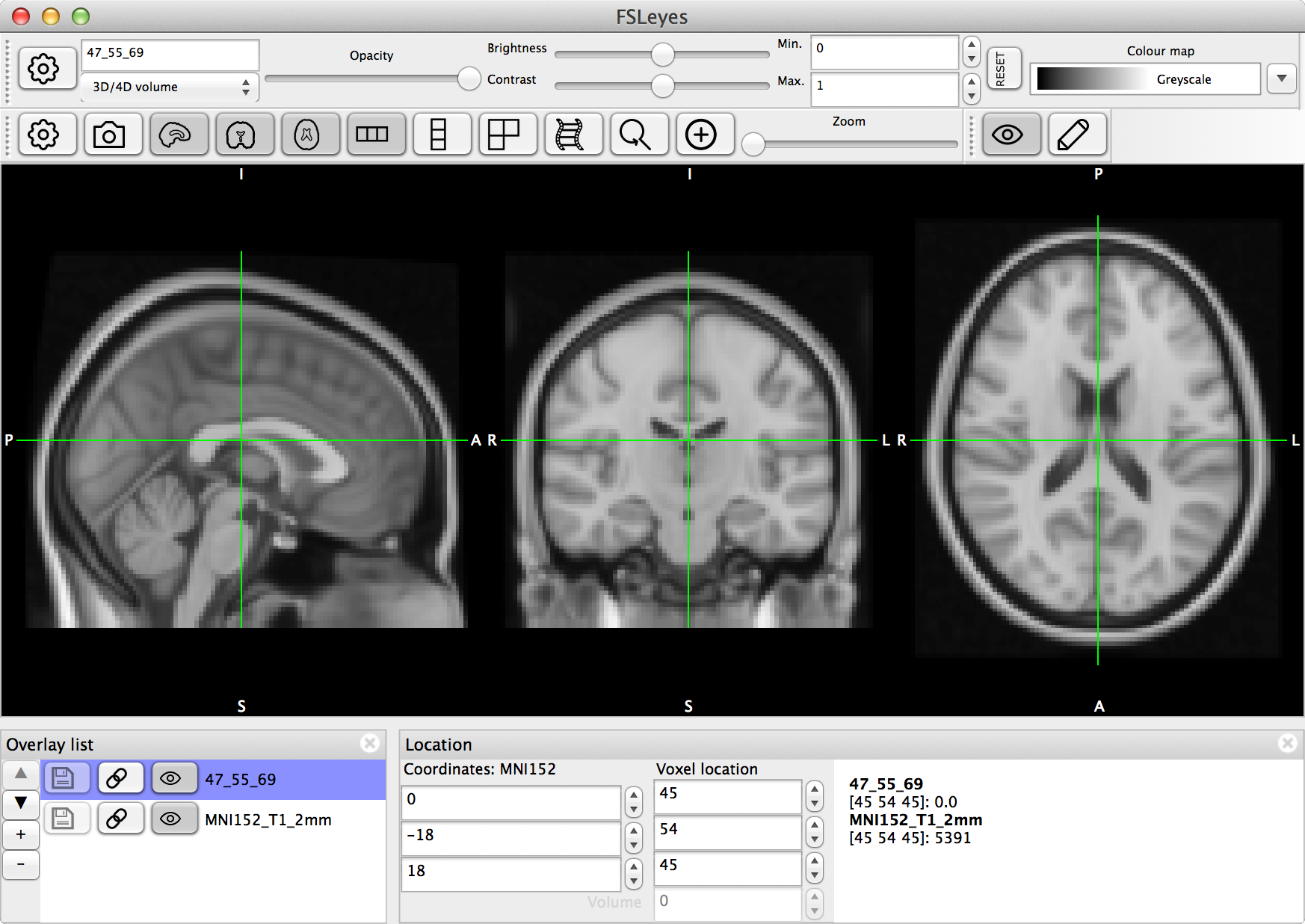
Overview
FSLeyes is an OpenGL application for displaying 3D overlays. All overlays are stored in a single list, the
OverlayList. Only one OverlayList ever exists - this list is
shared throughout the application. The primary overlay type is the NIFTI
image format; and a range of other formats are also supported including MGH
volumes, GIFTI and Freesurfer surface files, and VTK triangle meshes.
Amongst other things, FSLeyes provides the following features:
Orthographic view (
orthopanel)Lightbox view (
lightboxpanel)3D view (
scene3dpanel)Time series plotting (
timeseriespanel)Histogram plotting (
histogrampanel)Power spectrum plotting (
powerspectrumpanel)Jupyter notebook integration (
notebook)FSL atlas explorer (
atlaspanel)FEAT cluster results explorer (
clusterpanel)Melodic component classification (
melodicclassificationpanel)NIFTI image editing (
editor)A comprehensive command line interface (
parseargs)
FSLeyes makes heavy use of the fsleyes_props project, which is an
event-based programming framework.
Entry points
FSLeyes may be started with the fsleyes.main.main() function. FSLeyes
also includes an off-screen screenshot generator called render, which may
be started via the fsleyes.render.main() function.
Frames, views, and controls
The FSLeyesFrame is the top level GUI object. It is a container for
one or more views. All views are defined in the views sub-package,
and are sub-classes of the ViewPanel class. Currently there are two
primary view categories - CanvasPanel views, which use OpenGL
to display overlays, and PlotPanel views, which use
matplotlib to plot data related to the overlays.
View panels may contain one or more control panels which provide an
interface allowing the user to control some aspect of the view (e.g. the
OverlayDisplayToolBar), or to display some other data associated
with the overlays (e.g. the ClusterPanel). All controls are
sub-classes of the ControlPanel or ControlToolBar classes,
and all built-in controls are defined in the controls sub-package.
The view/control panel class hierarchy is shown below:
All toolbars inherit from the FSLeyesToolBar base class:
The DisplayContext
In order to manage how overlays are displayed, FSLeyes uses a
DisplayContext. Because FSLeyes allows multiple views to be opened
simultaneously, it needs to use multiple DisplayContext instances.
Therefore, one master DisplayContext instance is owned by the
FSLeyesFrame, and a child DisplayContext is created for every
ViewPanel. The display settings managed by each child
DisplayContext instance can be linked to those of the master instance;
this allows display properties to be synchronised across displays.
Each DisplayContext manages a collection of Display objects, one
for each overlay in the OverlayList. Each of these Display objects
manages a single DisplayOpts instance, which contains overlay
type-specific display properties. Just as child DisplayContext instances
can be synchronised with the master DisplayContext, child Display and
DisplayOpts instances can be synchronised to the master instances.
The above description is summarised in the following diagram:
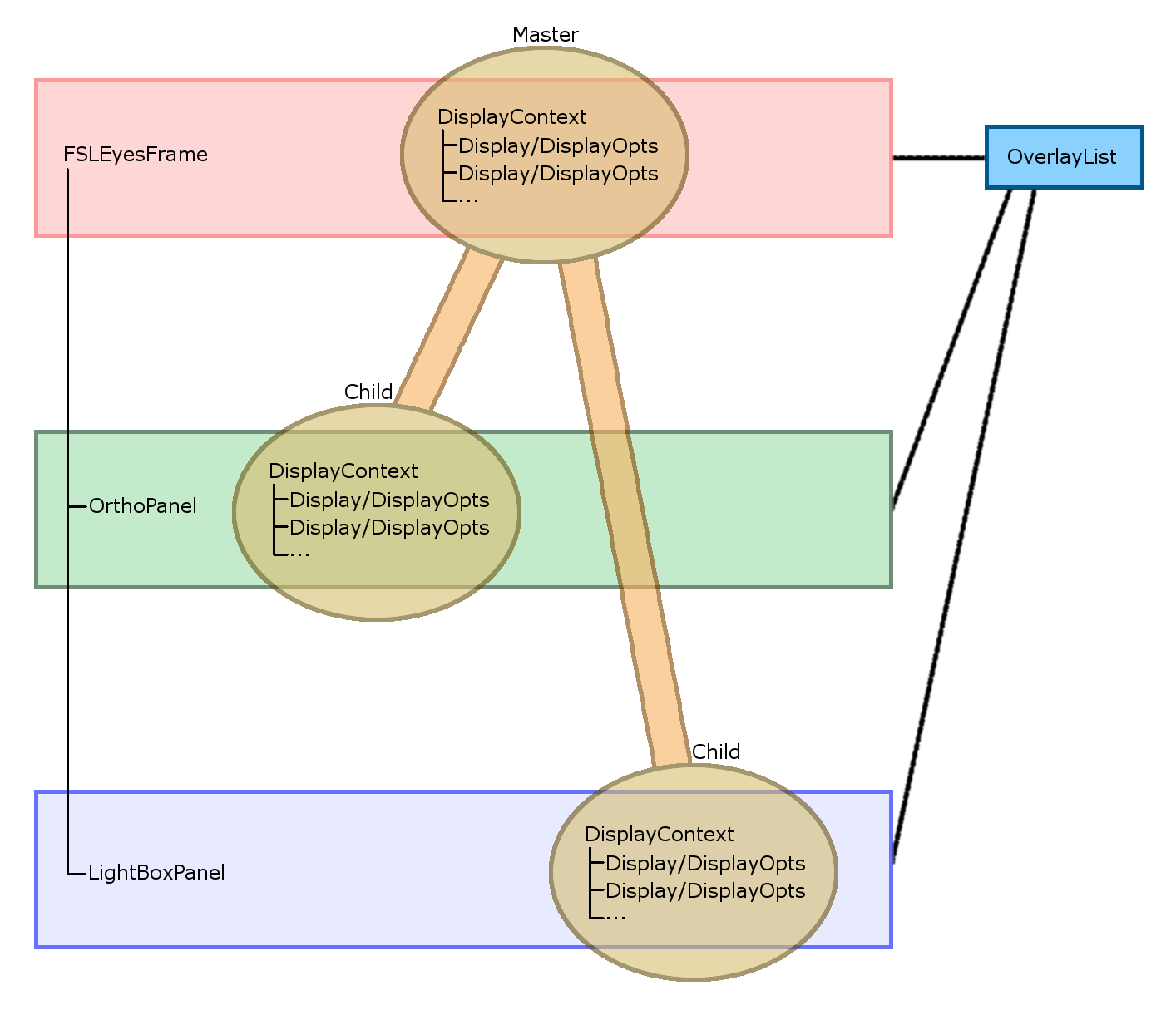
In this example, two view panels are open - an OrthoPanel, and a
LightBoxPanel. The DisplayContext for each of these views, along
with their Display and DisplayOpts instances (one of each for every
overlay in the OverlayList) are linked to the master DisplayContext
(and its Display and DisplayOpts instances), which is managed by the
FSLeyesFrame. All of this synchronisation functionality is provided by
the props package.
See the displaycontext package documentation for more
details.
Events and notification
TODO
Note
The current version of FSLeyes (1.19.0.dev0+g1d541d09b.d20260312) lives in the
fsleyes.version module.
- fsleyes.__version__ = '1.19.0.dev0+g1d541d09b.d20260312'
The current FSLeyes version (read from the
fsleyes.versionmodule).
- fsleyes.assetDir = '/test.env/lib/python3.12/site-packages/fsleyes/assets'
Directory which contains all FSLeyes assets/resources (e.g. icon files).
- fsleyes.canWriteToAssetDir()[source]
Returns
Trueif the user can write to the FSLeyes asset directory,Falseotherwise.
- fsleyes.initialise()[source]
Called when FSLeyes` is started as a standalone application. This function must be called before most other things in FSLeyes are used.
- fsleyes._hacksAndWorkarounds()[source]
Called by
initialise(). Implements hacks and workarounds for various things.